The account transfer function has been suspended due to LAN CMS maintenance.
Please use FIVE Dashboard for a while.
We apologize for the inconvenience and ask for your patience until the maintenance is completed.
Thank you for using the LINE Ads Network.
We are pleased to announce that, based on the feedback from our publishers, we have released a new management screen (LAN CMS). Based on the feedback from our publishers, we are pleased to announce the release of a new management screen (LAN CMS) that will replace the current FIVE Dashboard management screen.
Executive Summary(First of all, please take a look below.)
・This page will explain the release points of the new LINE Ads Network Management System (LAN CMS) and provide the necessary steps to start using it.
・LAN CMS currently supports only Japanese. English support is in preparation.
・Please note that you will need to create a LINE Business ID in order to use LAN CMS.
・If you create a LAN CMS account, you can still use the Five dashboard.
・As of April 6th, 2022, the LAN CMS functions for registering new applications are still under development.
・As of April 6th, 2022, LAN CMS is still in the process of developing new application registration. LAN CMS is still under development for additional functions, but we have already released a faster report screen, CSV download function, and slot addition function.
・If you have any comments or requests, please fill out the questionnaire at the bottom of this page.
■ LAN CMS 3 Points
Here are three key points of the new management screen released this time.
LINE Ads Network New Management Screen (LAN CMS) Images
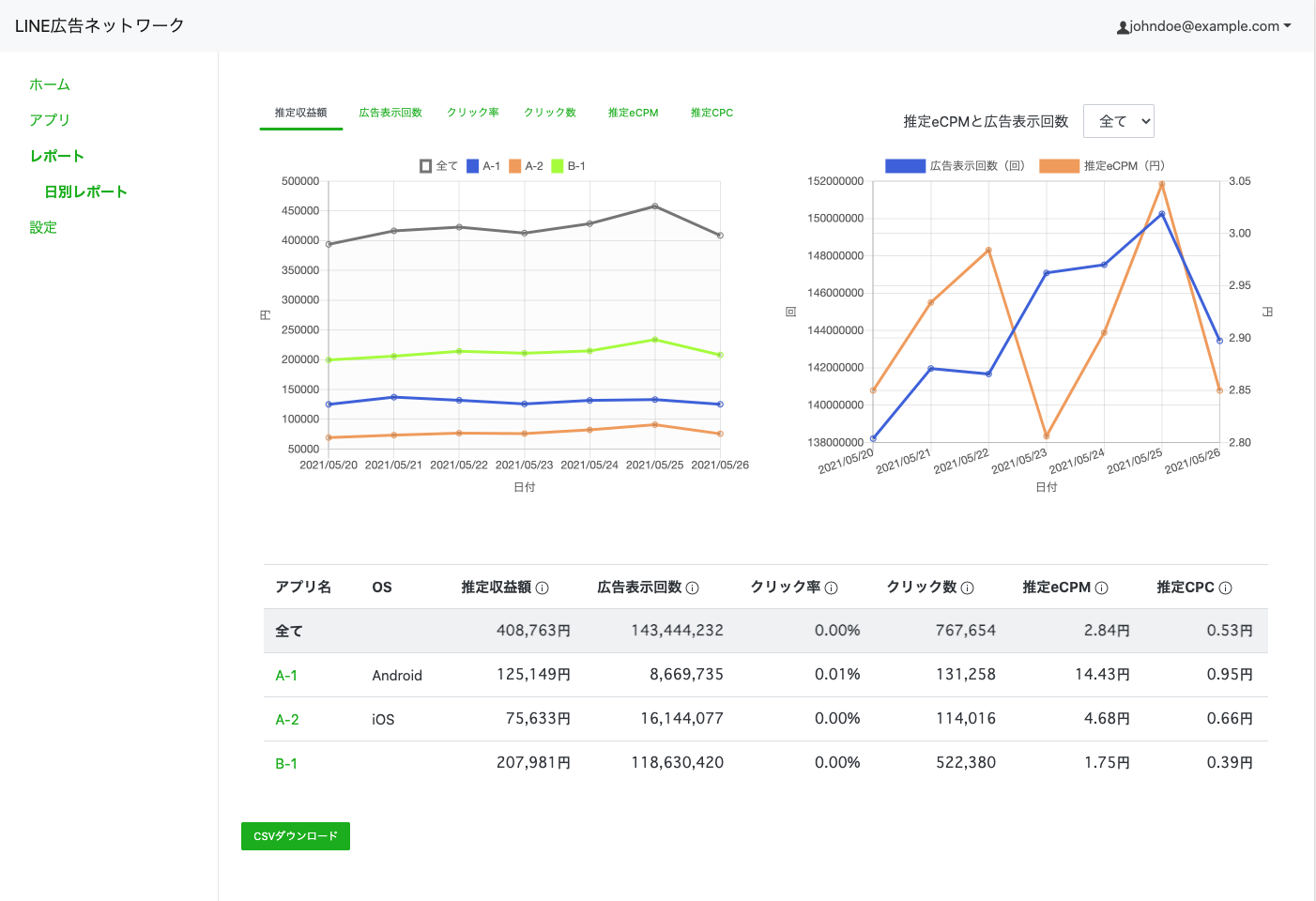
1. Improved report screen display speed
In response to requests from many publishers, we have improved the speed of the report screen display.
In order to reduce the burden on publishers who usually check their earnings, we have made improvements so that they can work faster.
2. Expansion of revenue-related information visible on the management screen
More information is displayed in reports, improved usability, and easier to see.
We have introduced a graph design that allows you to visually recognize revenue confirmation.
3. Simplified and accelerated steps to CSV download
Simplified steps required to perform CSV downloadand accelerated.
First of all, please use LAN CMS.
(You need to follow the steps below to open an account.)
■LAN CMS Migration Procedure
The overall procedure is as follows:You need to create a LINE Business ID to migrate to LAN CMS.
1. Access the migration link and register your email address with LINE Business ID
2. Create LINE Business ID on the screen opened from the registration link in the email
3. Enter Five Dashboard login information on the LAN CMS migration recording that you have transitioned to
4. Join LAN CMS by confirming the invitation destination on the invitation screen
1. Access the migration link and register your email address with LINE Business ID
This link for more information.
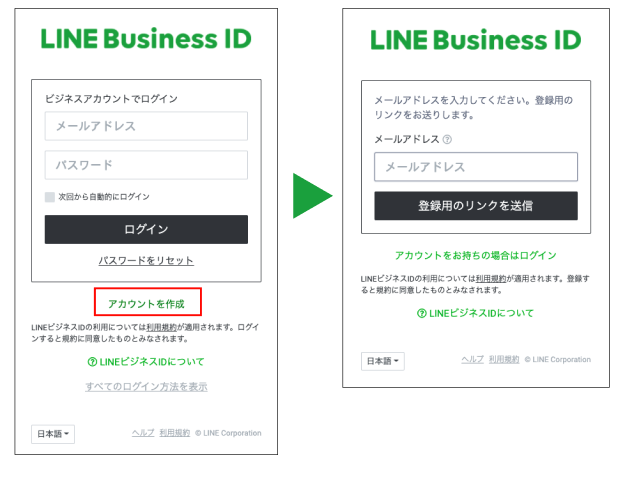
The following page will open, so please click Create Account.
Please continue to enter the email address to register with LINE Business ID on the screen.
About LINE Business ID
・You can also register for LINE Business ID with an email address different from the email address registered on Five Dashboard and migrate to LAN CMS.
・Already with the email address you registered on the Five Dashboard If you have registered with LINE Business ID, you can also migrate to LAN CMS with your registered LINE Business ID.
2.Register LINE Business ID on the screen opened from the registration link
※If you have registered your LINE Business ID, you can skip this step.
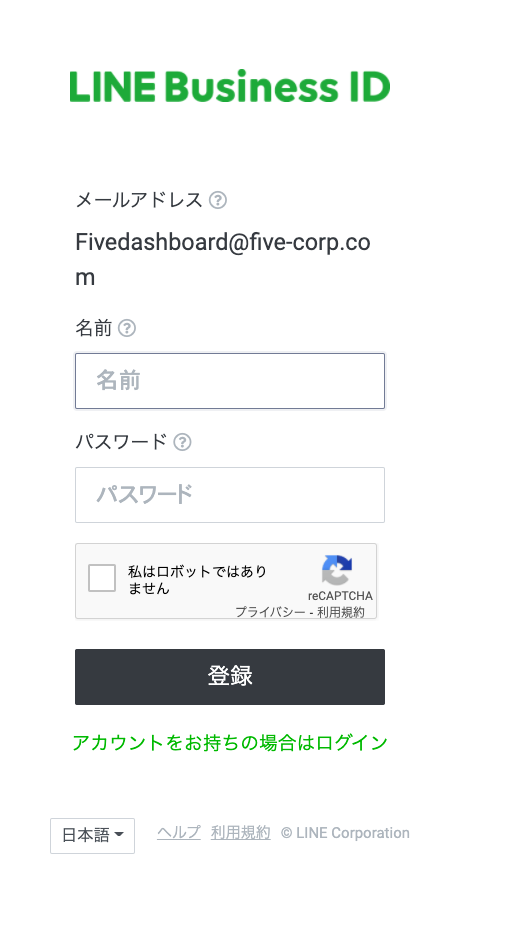
Here's the LINE Business ID registration screen.Register a new LINE Business ID.
・To avoid using the password all the time, please use a different password than the Five Dashboard.
・I will use this password for future login to LAN CMS.Please do not forget your password.
Press the "Registration" button to complete the LINE Business ID registration.
3. Enter Five Dashboard login information on the LAN CMS migration recording that you have successively transitioned
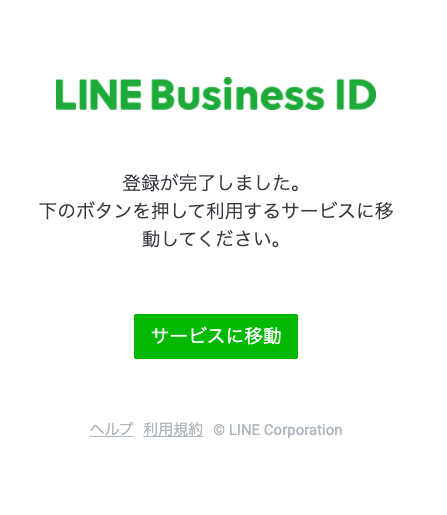
Transition to the screen that prompts you to move to the service you want to use."Click ""Go to Service""."
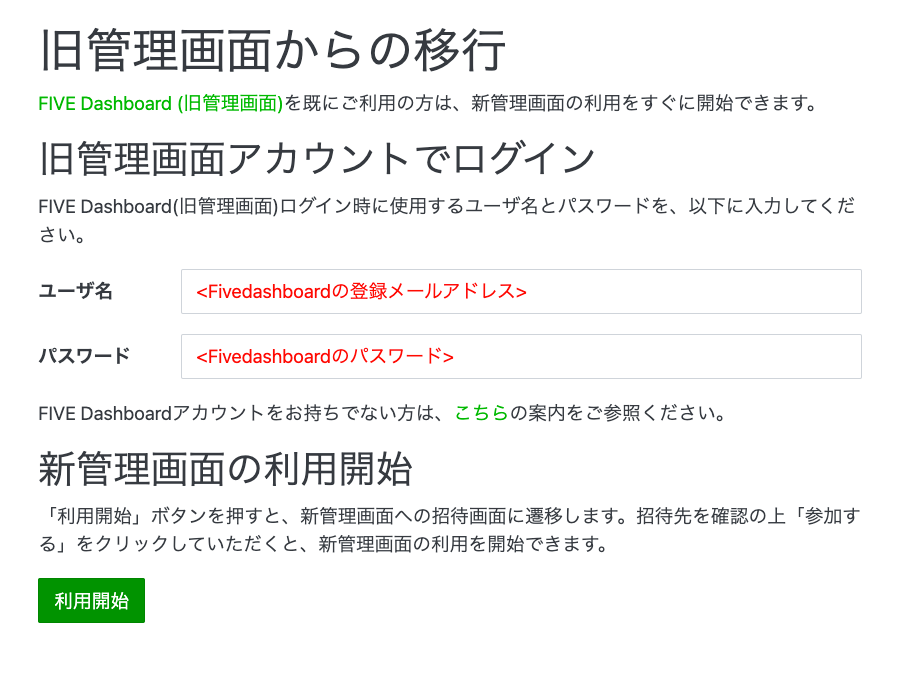
Transition to the screen titled "Transition from Old Management Screen".This is where you migrate to the Five Dashboard.
Please enter your username as the email address registered on the Five Dashboard and your password as the password registered on the Five Dashboard.
Please enter your username and password and click "Start Use".
4. Check the invitation destination on the invitation screen and participate in LAN CMS
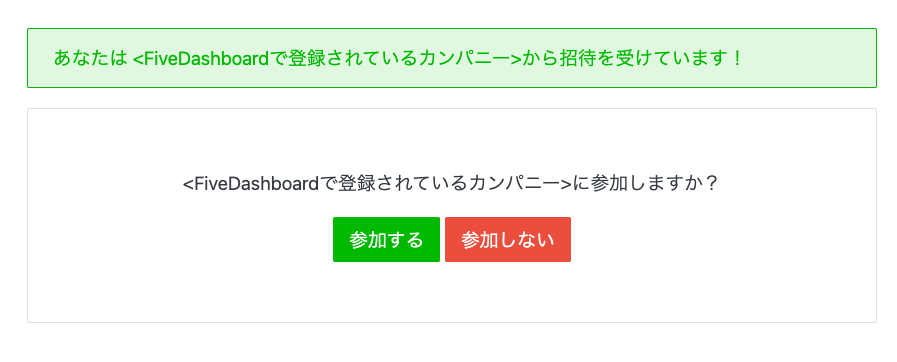
The name of the company registered on the Five Dashboard will be displayed, please make sure it is correct and click Join.
You can start using LAN CMS.
5. Access to LAN CMS after migration is complete and operation manuals
After migration is complete LAN CMS includes: https://adsnetwork.line.biz You can access it by logging in with your LINE Business ID from .
Manuals are available on how to operate LAN CMS. Please click here.
https://adsnetwork-docs.linebiz.com/cms/
■Future development
Currently, new application registration and screening functions are under development.
We aim to release it around spring or early summer of 2022, so we will let you know later.
Also, in LAN CMS,Overall, we're improving usability and speed, and in the future, Five Dashboard We plan to provide all the features available in the LAN CMS.
accordingly Five Dashboard We are planning to end the provision of by looking at the time, so please open an account in advance.
If you don't mind, I would appreciate it if you could give me your impressions, requests, and opinions on future improvements to LAN CMS.
https://forms.gle/AtAWsL5au2Xbmki7
Thank you for your continued support.